


If your automatic or standard base clamp does not hold firmly when locked, or if there is some movement or “play”, you may need to adjust it. Follow the steps below:
- Remove the black plastic plug from the end of the base clamp.
- Rotate the base clamp until you can see the access hole for the adjustment screw. Insert a 3 mm hex key through this hole.
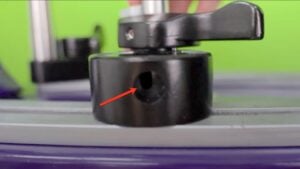
- Push the 3 mm hex key into the hole until you feel it engage with the adjustment screw.
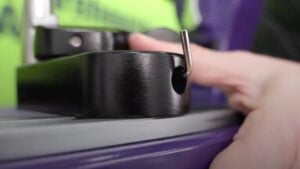
- Turn the hex key clockwise to tighten the clamp or anticlockwise to loosen it.
- Remove the hex key and test the clamp. It should hold firmly when locked and move smoothly when unlocked.
- For an automatic base clamp, also check that it releases correctly when the release button is pressed or the column clamp is dropped. Repeat the adjustment as necessary until the clamp operates correctly.
- If the adjustment screw loosens over time, apply a small drop of Loctite to the screw thread to help keep it in position.
The two videos below demonstrate the adjustment process. The first shows an automatic base clamp and the second shows a standard base clamp.