


|
|
|
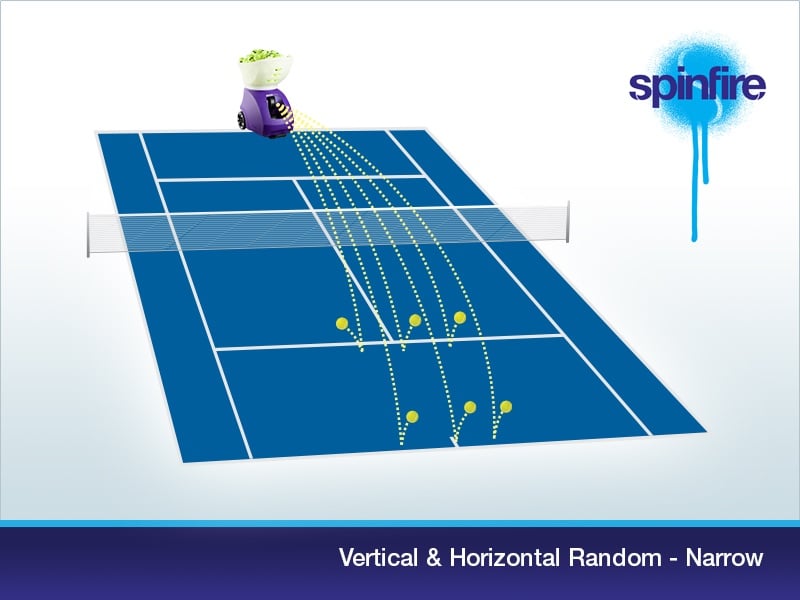
This article will explain how to create realistic, fully random feeds that vary both depth and width using your Spinfire machine. Follow the steps below or if you have the v2 Bluetooth machine, see the final section for the extra app option.
Using the machine controls (V2 Bluetooth machines – can use Quick Drills)
- Set the machine to feed short balls first, roughly to the service line. This sets your short depth.
- Activate the two random modes so that both are on:
- Press HORIZONTAL.
- Press VERTICAL.
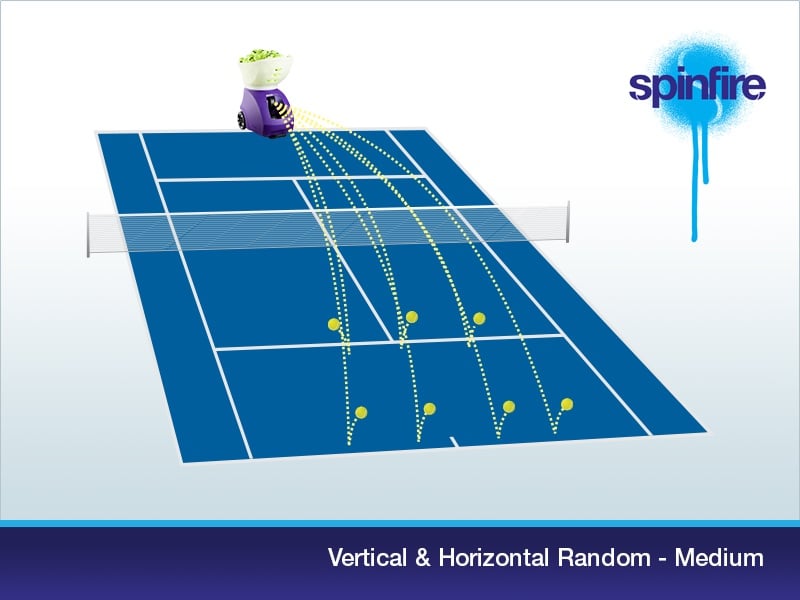
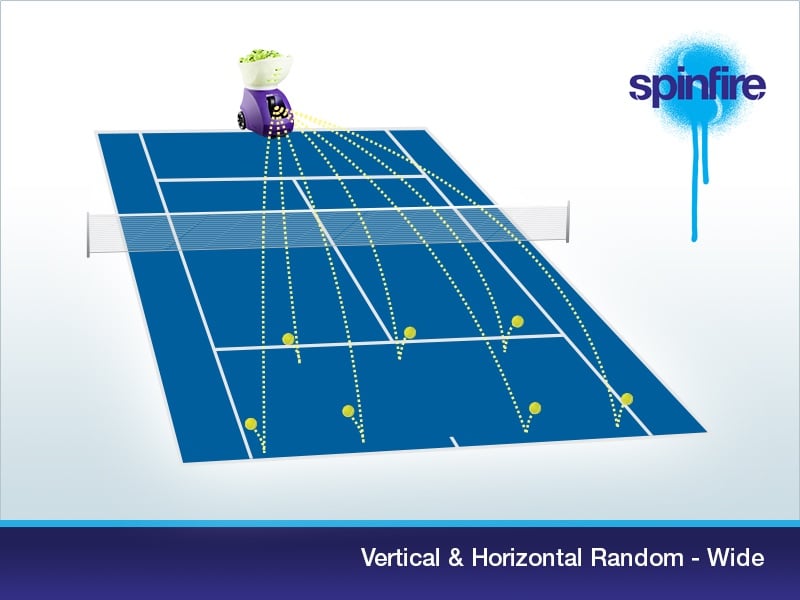
The order does not matter. Once VERTICAL is active you will see random deep balls mixed in with short balls.
- Choose your horizontal spread:
- NARROW (v2 only)
- MEDIUM
- WIDE
With HORIZONTAL random on, balls will be delivered at unpredictable positions within the selected width.
Randomising Interval, Speed and Spin (V2 and V2 Bluetooth machines only)
To take your random play further, you can randomize interval, speed & spin.
V2 machines (must have software version M5.3.2 or later):
When Interval, Speed or Spin are flashing on the control panel LCD, press the VERTICAL button. You will see an R appear next to the value to confirm it’s random.
V2 Bluetooth Machines:
From the control panel, while editing interval, speed, spin or elevation, press OK (or FEED on machines without an OK button) and enter the sub-menu where you can turn on random. An R will appear next to the value on the main screen to confirm it’s random.
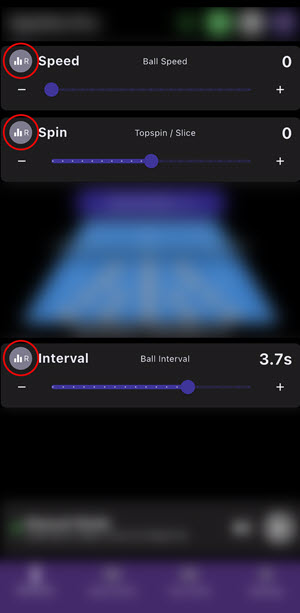
From the app, you can press the buttons in the red circles below to activate random:
Extra feature using the app: Quick Random Drills (V2 Bluetooth only)
The Spinfire app includes a fast way to build a random drill for v2 Bluetooth models.
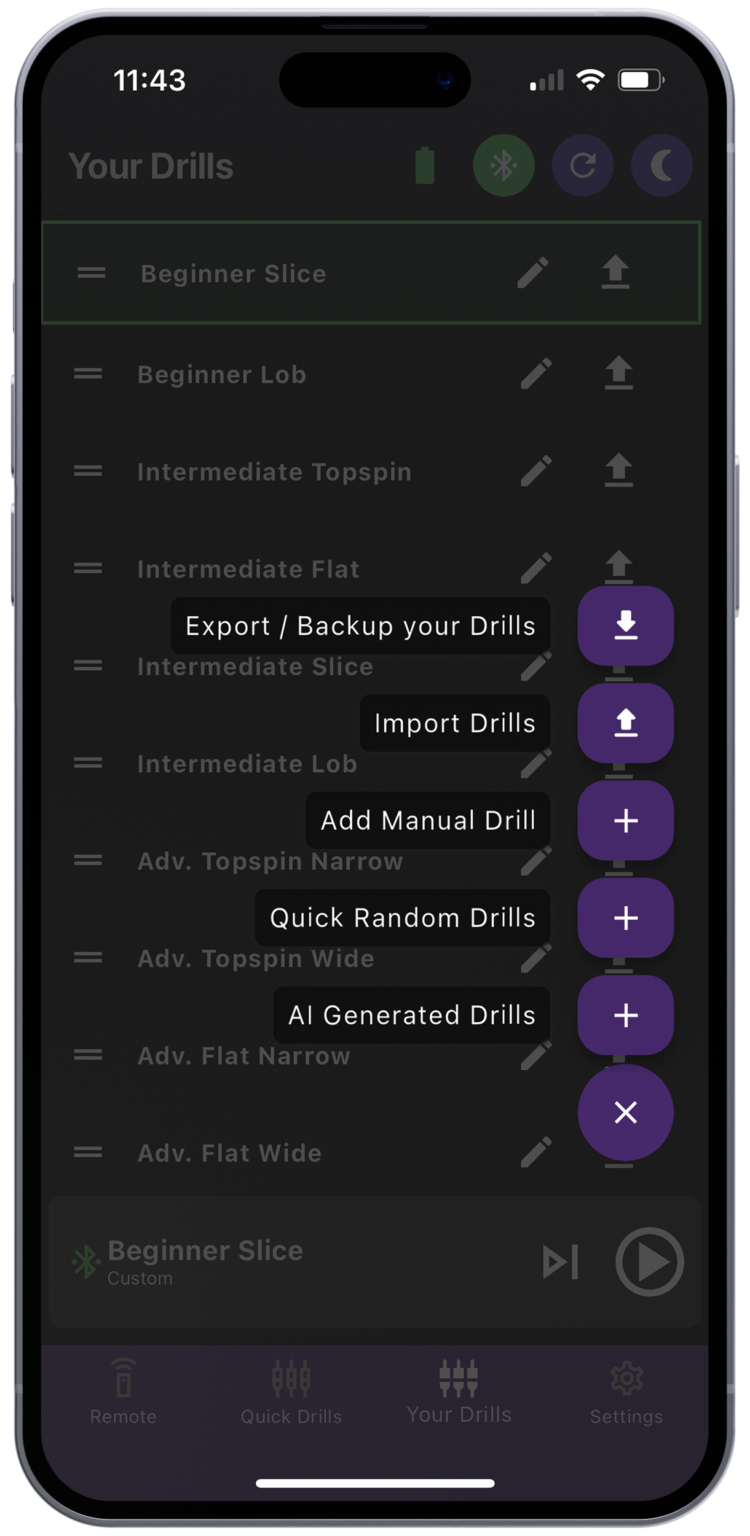
- Open the app and go to Your Drills.
- Tap the purple hamburger menu and choose Quick Random Drills as shown in the image below.
- Adjust the sliders for Speed, Spin, Elevation, Horizontal, Interval and How many shots.
- Tap Generate Drill to add it to Your Drills.
- Select the new drill and send it to the machine to begin.
Tip: Use Quick Random Drills when you want a varied session without configuring each parameter on the machine. For finer control of horizontal spread on the court, you can still use Narrow, Medium or Wide with the machine controls.
Compatibility notes
- Horizontal Narrow width is available on v2 models only.
- Quick Random Drills requires the v2 Bluetooth machine and the Spinfire app.